A guide for parents
Deepen learning at home.
JoySchooler's Socratic AI strengthens your child's thinking instead of handing over answers — guiding them to reason, write, and reflect their own way to understanding that lasts.
The difference
A thought partner, not an answer machine.
The understanding that lasts is the kind your child builds themselves. Most AI skips that part. JoySchooler is designed to protect it — a guide on the side, not a shortcut to the destination.
A generic AI
Hands over the answer.
Skips the struggle.
Your child moves on — and forgets.
Fast for getting unstuck. But it quietly does the thinking that would have made your child sharper.
JoySchooler
Asks what they think.
Guides the reasoning.
The insight is theirs to keep.
Like a patient mentor who knows the answer but wants your child to reach it — building confidence and independence with every conversation.
Everyday learning
Bring it into the moments that matter.
Think first
When a question pops up, point your child to JoySchooler before a quick web search or video. Guided inquiry keeps the joy of discovery alive.
Productive stuck moments
When they hit a wall in math, science, or anything else, let them reason through it with JoySchooler instead of being handed the solution.
Explore every angle
Prompts like "What are the arguments against this?" or "Why might that character act that way?" build nuanced thinking across history, ethics, and literature.
Why reflection matters
We learn by reflecting on experience.
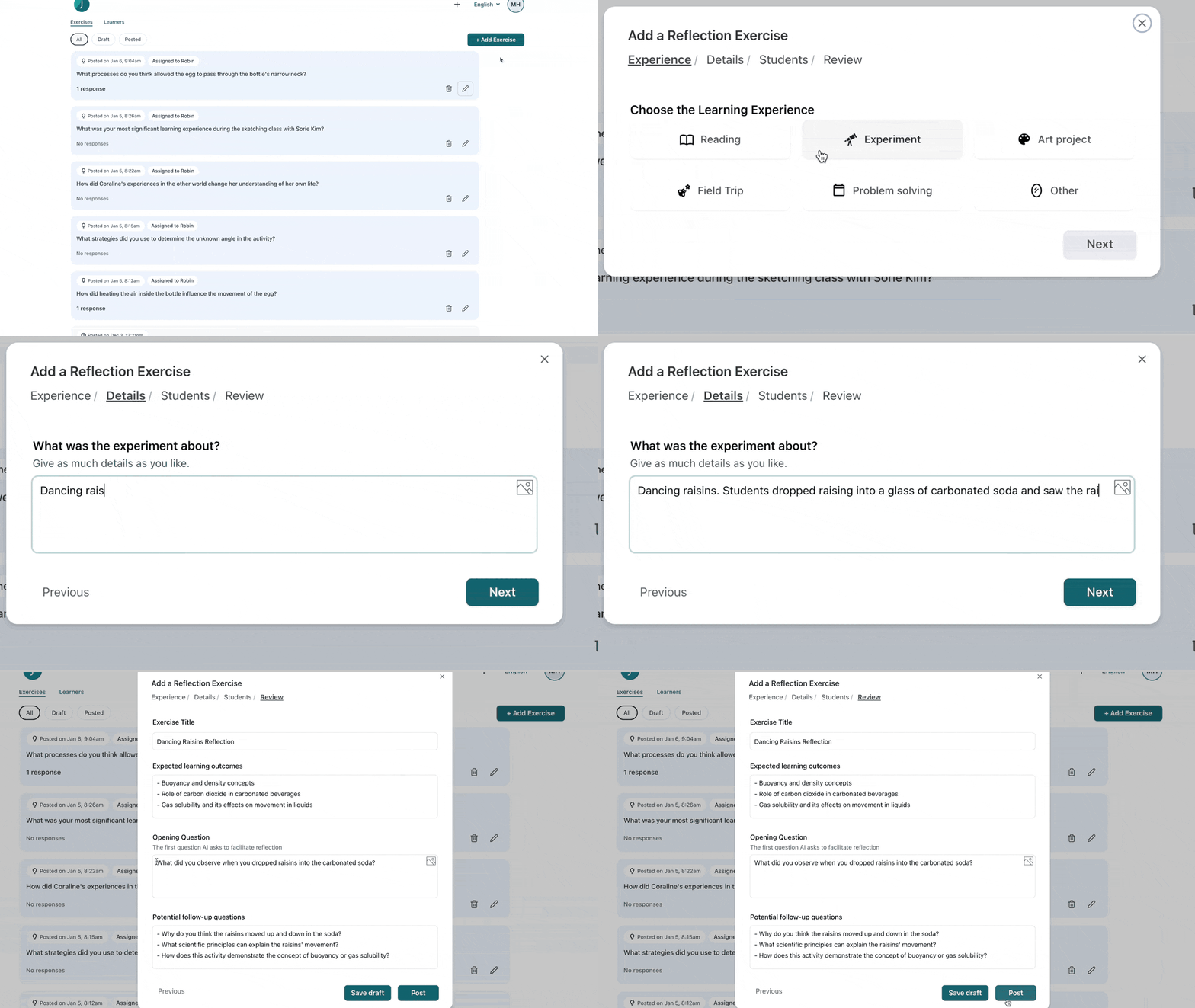
After a project, experiment, book, or field trip, a short guided reflection turns the experience into lasting insight. JoySchooler asks the questions that help your child notice what they learned.
"We do not learn from experience... we learn from reflecting on experience."
Learning through writing
A writing guide for every kind of writer.
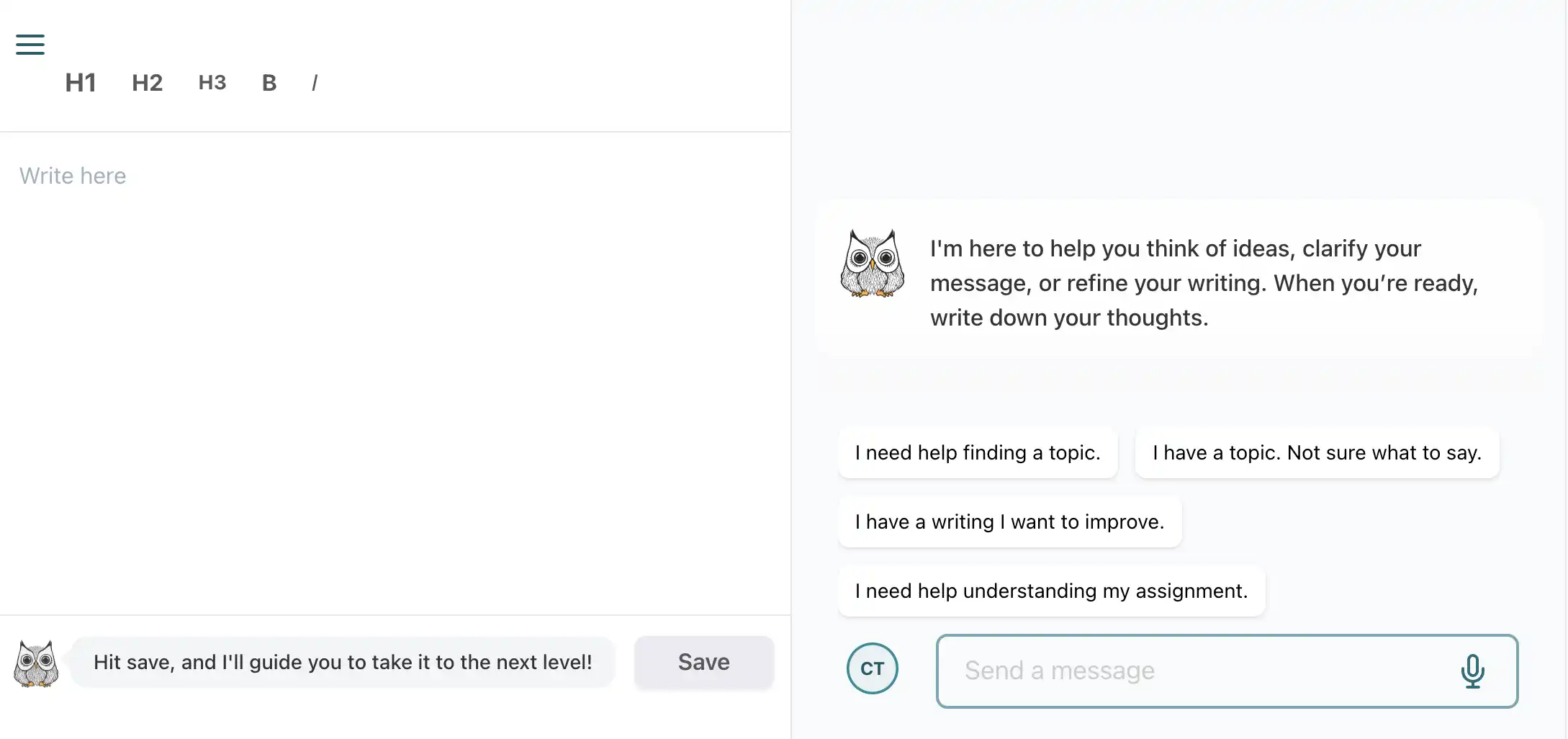
JoySchooler helps your child clarify their message through conversation — finding ideas, structuring arguments, and refining their voice, without ever writing it for them.
Explore the AI writing guideThe reluctant writer
"What should I even write about?"
Have them chat with the guide about their interests and hobbies until a topic surfaces naturally.
The developing writer
"Help me organize my ideas for this essay."
The guide helps structure their thoughts and checks whether the main point actually comes through.
The confident writer
"Does this paragraph land? How could it be sharper?"
Used as a sounding board, the guide pushes already-good writing toward better.
Lessons & assignments
A library to draw from, assignments to grow with.
Find inspiration
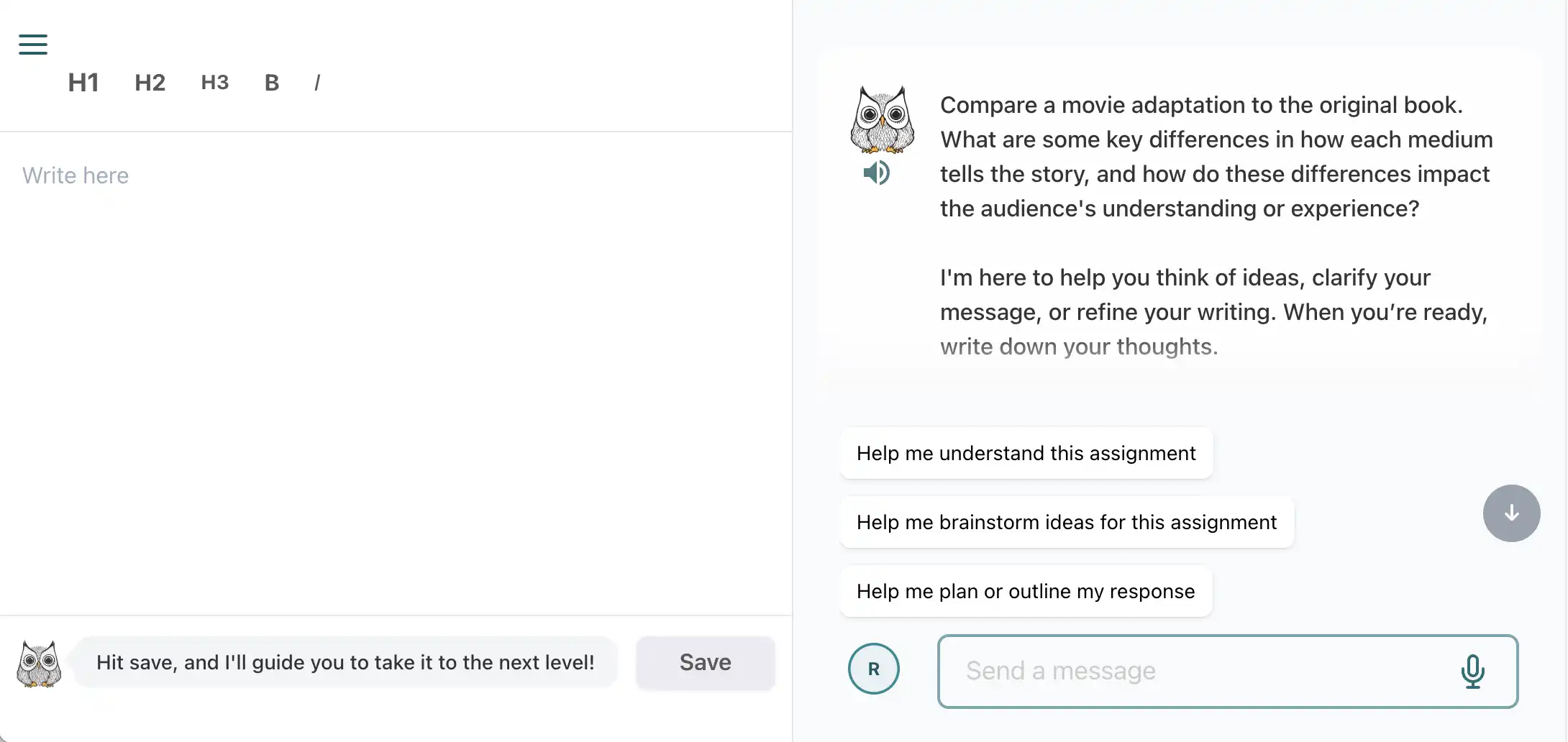
Browse the lesson library for ready-made questions, reflection prompts, and writing ideas across a wide range of subjects.
Assign exercises
Assign lessons straight from the library, or create custom exercises tailored to your child's needs and current activities.
Find assignments
Assigned work appears for your child in their 'Home class', reachable any time from their user menu.
Ready to explore? Browse the lesson library for ready-made questions, reflection prompts, and writing ideas across subjects.
Common questions
JoySchooler for parents, answered.
Will my child just use it to cheat?
No — that is the core design. JoySchooler refuses to hand over answers or do the writing. It asks the questions that get your child to reason for themselves, so homework builds thinking instead of inviting copying.
Do I need to know the subject to help?
Not at all. JoySchooler is the subject guide. Your role is to encourage your child to think it through and to take an interest in how they got there — the saved conversation shows you exactly that.
What ages is it for?
The Socratic approach adapts to each child's level, so it works across a wide range of ages and subjects — from early curiosity to high-school essays.
How do I see what my child is doing?
Every conversation is saved. You can read how your child reasoned, where they got stuck, and what clicked — insight a grade alone never gives you.
Get started
Be the guide on the side.
Also explore: AI for kids · AI for homeschoolers · the writing guide