AI writing guide
A writing guide that never writes it for you.
JoySchooler helps students develop clear thinking, define their purpose, and build strong arguments through Socratic conversation — focusing on substance, not just surface edits.
The difference
Clear thinking becomes clear writing.
JoySchooler goes beyond grammar and mechanics. Using the Socratic method, it prompts writers to sharpen their core message, purpose, and clarity — because the hardest part of writing was always the thinking.
"Clear thinking becomes clear writing; one can't exist without the other."
An editing tool
Fixes the grammar.
Polishes the surface.
Leaves the thinking untouched.
Useful for a final clean-up. But it can't help a writer who hasn't yet worked out what they are trying to say.
JoySchooler
Asks what you mean.
Tests the argument.
Strengthens the thinking.
It questions, prompts, and reflects ideas back — so the writing gets clearer because the thinking did.
The writing environment
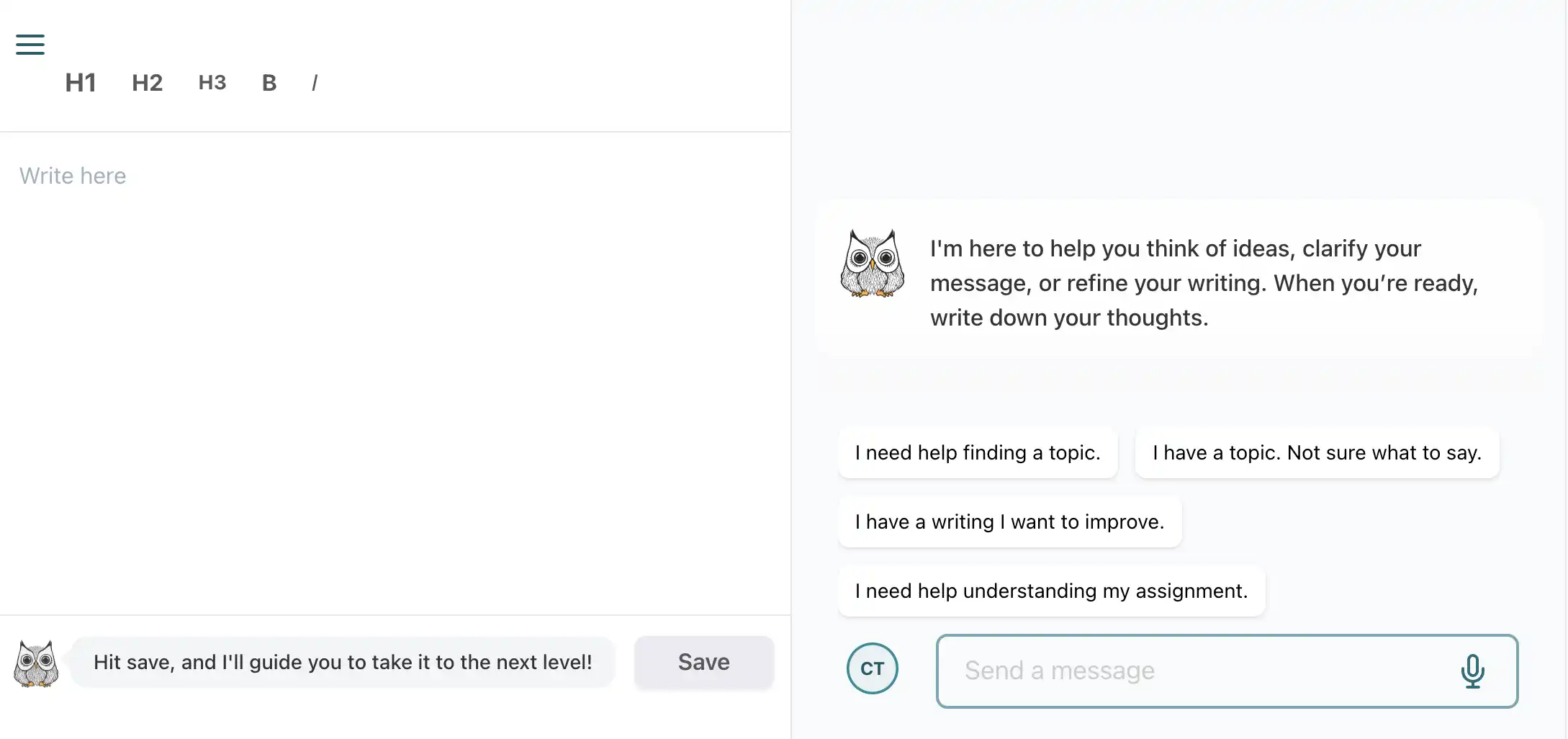
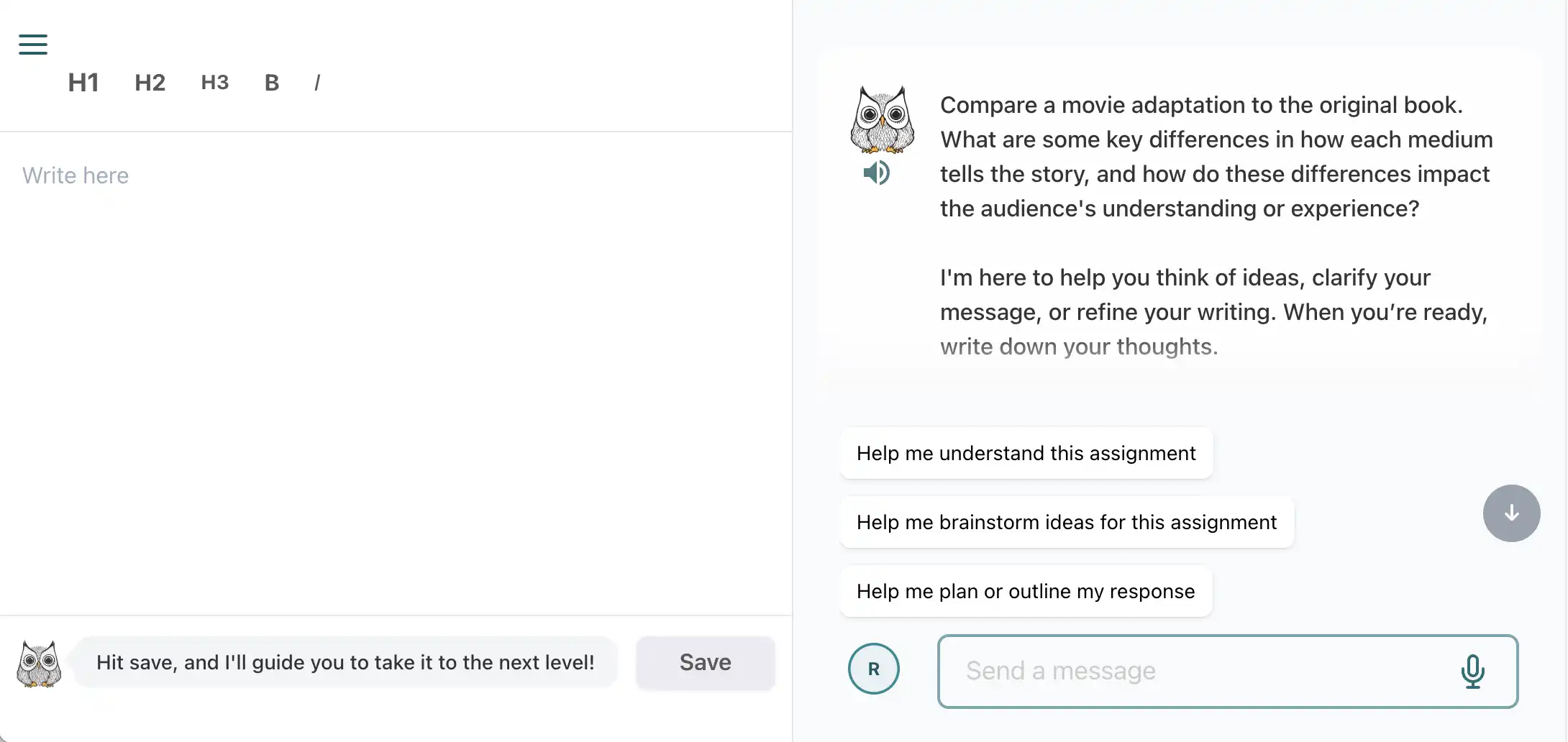
One space for every kind of writing.
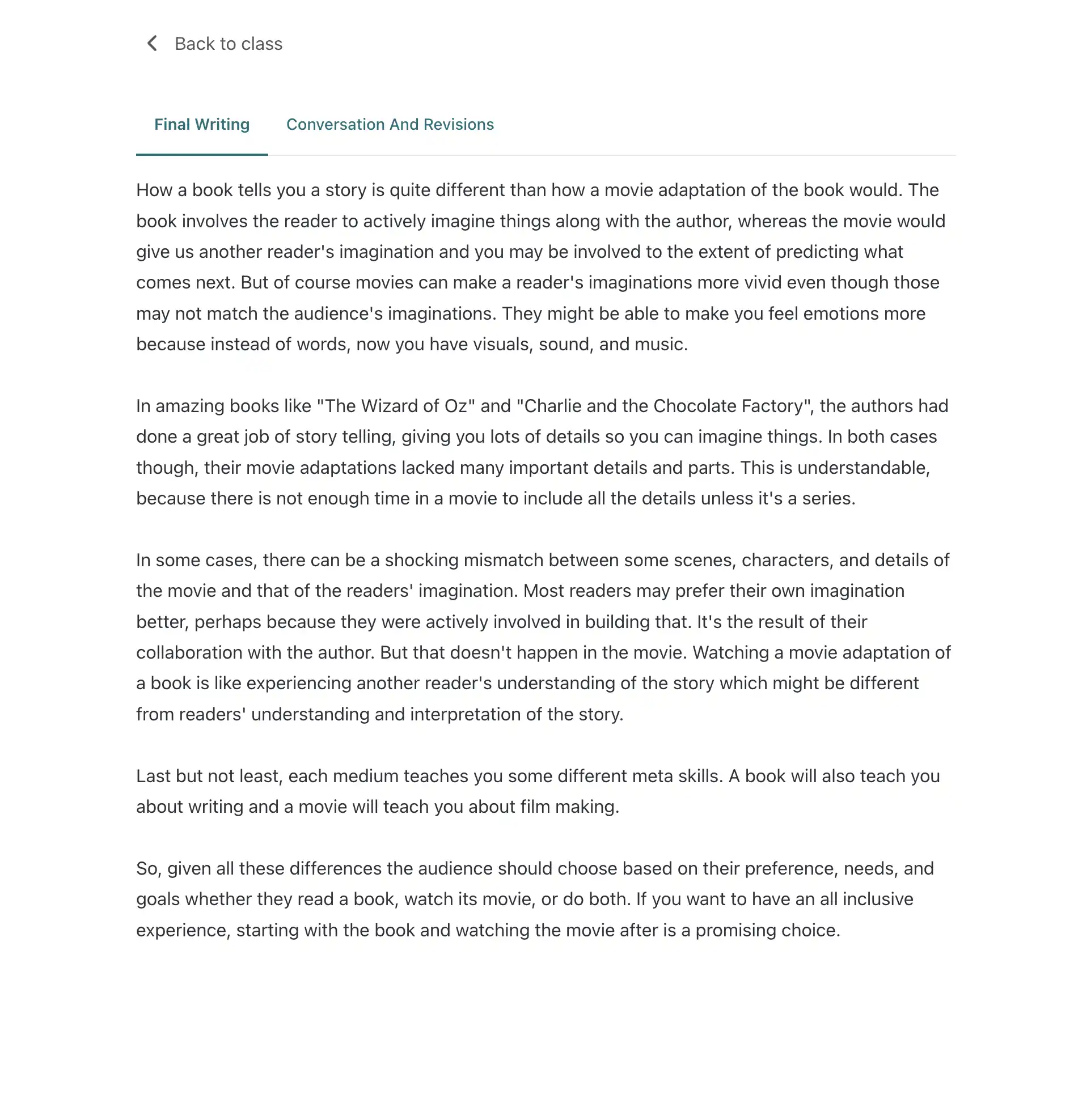
Learners have a dedicated space for self-initiated free writing and teacher-assigned exercises, with their AI writing guide right alongside.
Tailored feedback
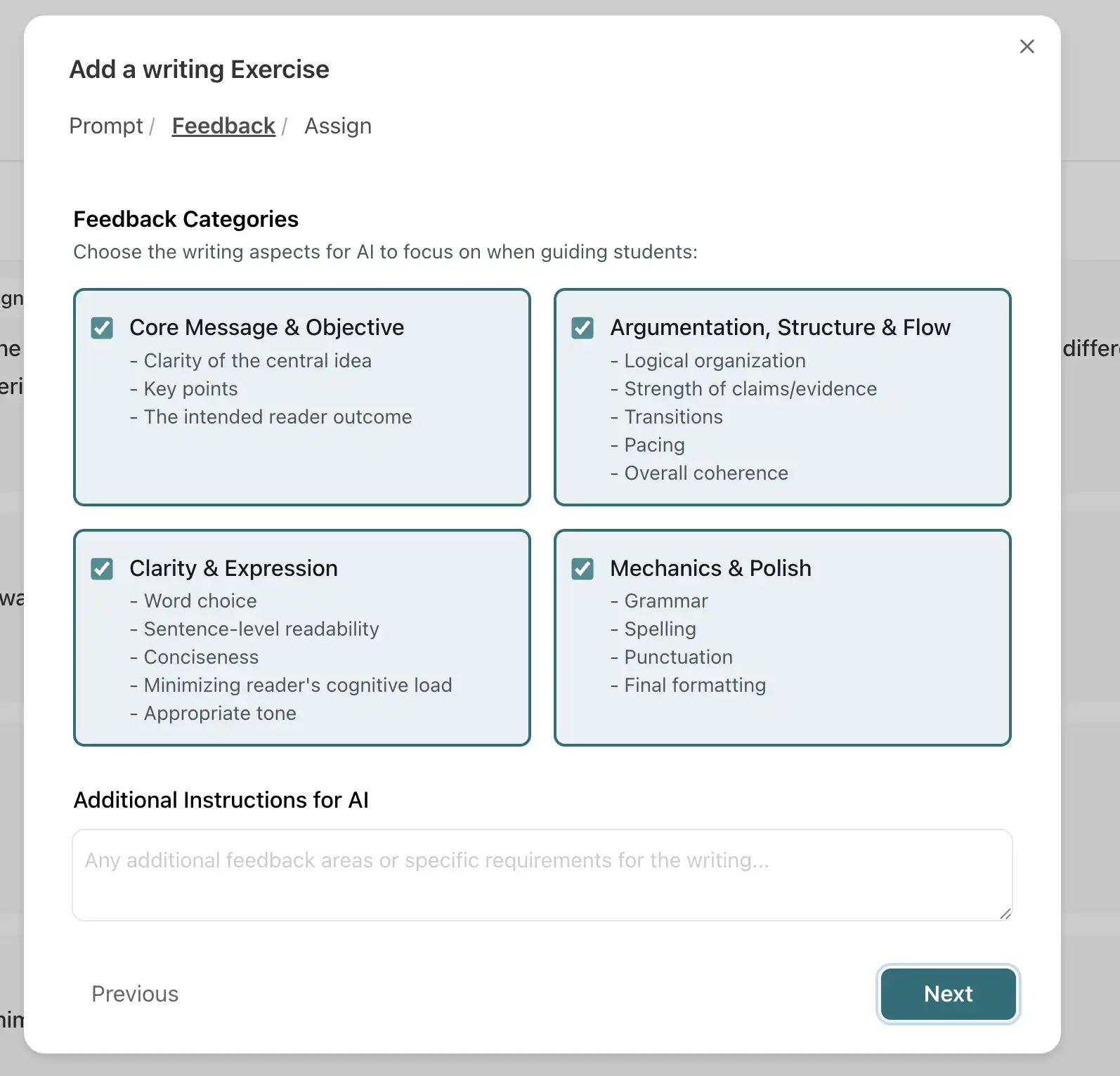
Feedback focused where it matters.
When creating an exercise, teachers and parents choose which categories — core message, structure, clarity — the guide should focus on, aligning guidance with the learning objective.
Student & guide
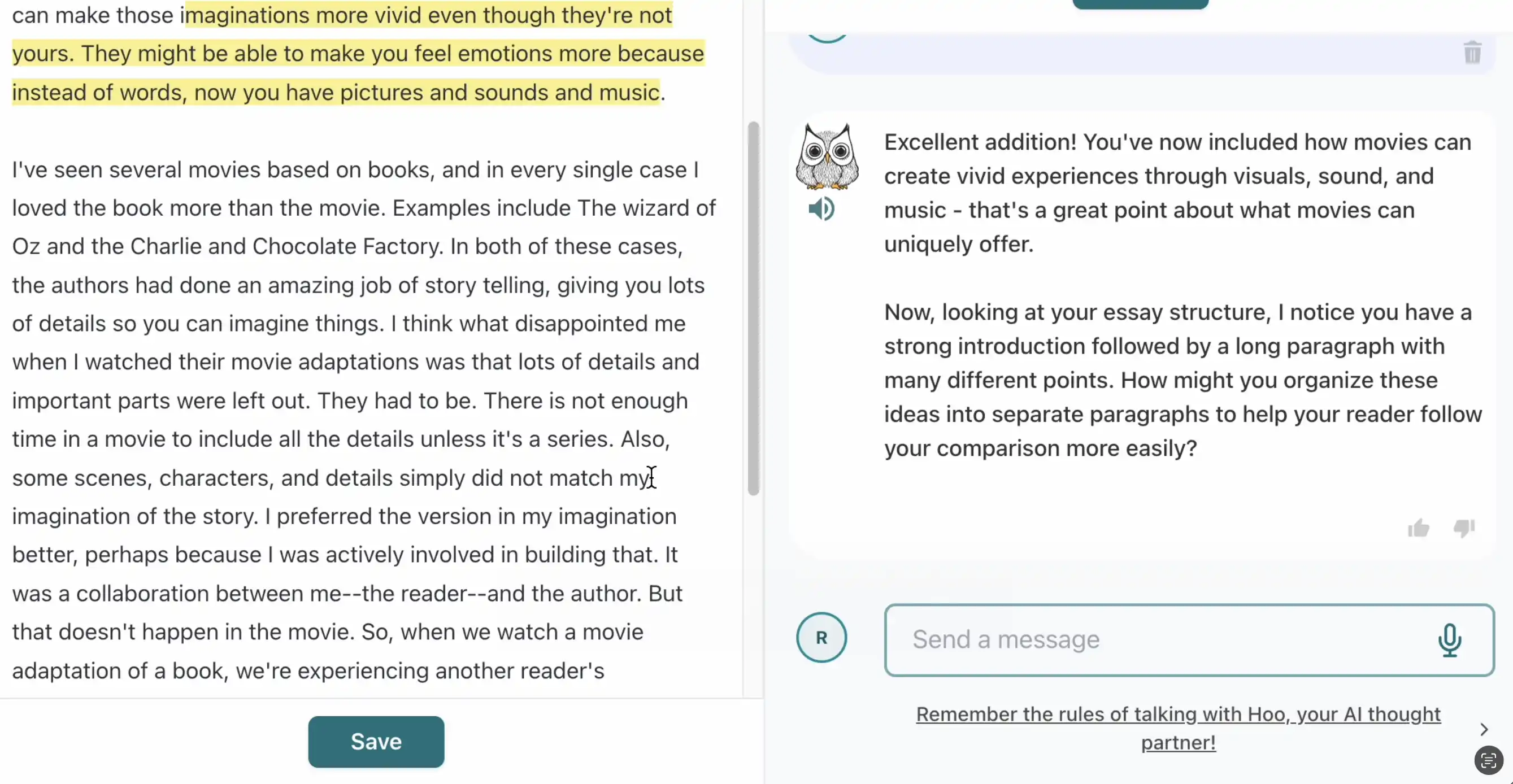
Brainstorm, revise, repeat.
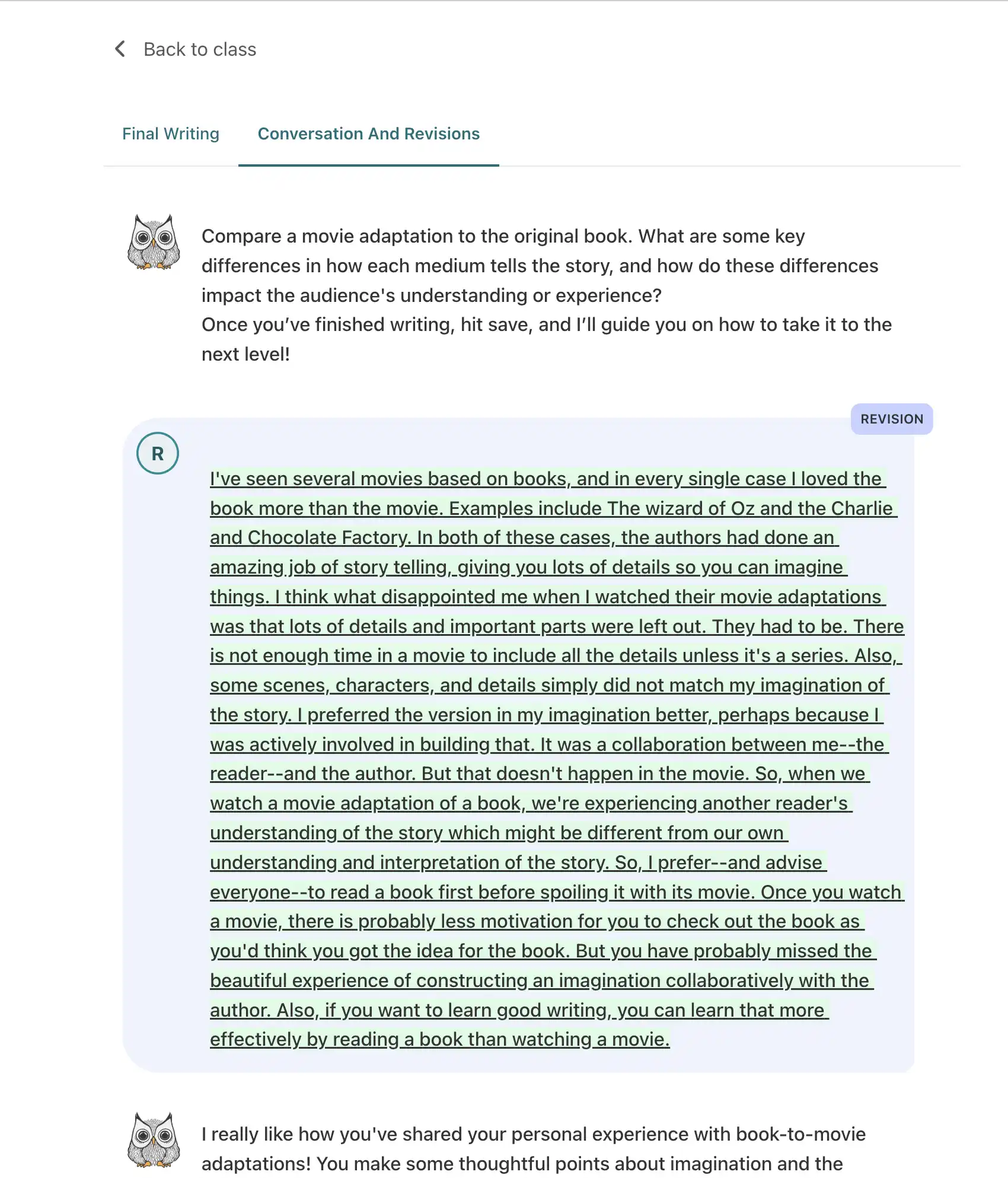
Students chat directly with the writing guide to brainstorm, get feedback, discuss their work, and revise. Every saved draft earns fresh guidance — never a rewrite.
Teacher insights
See the process, not just the product.
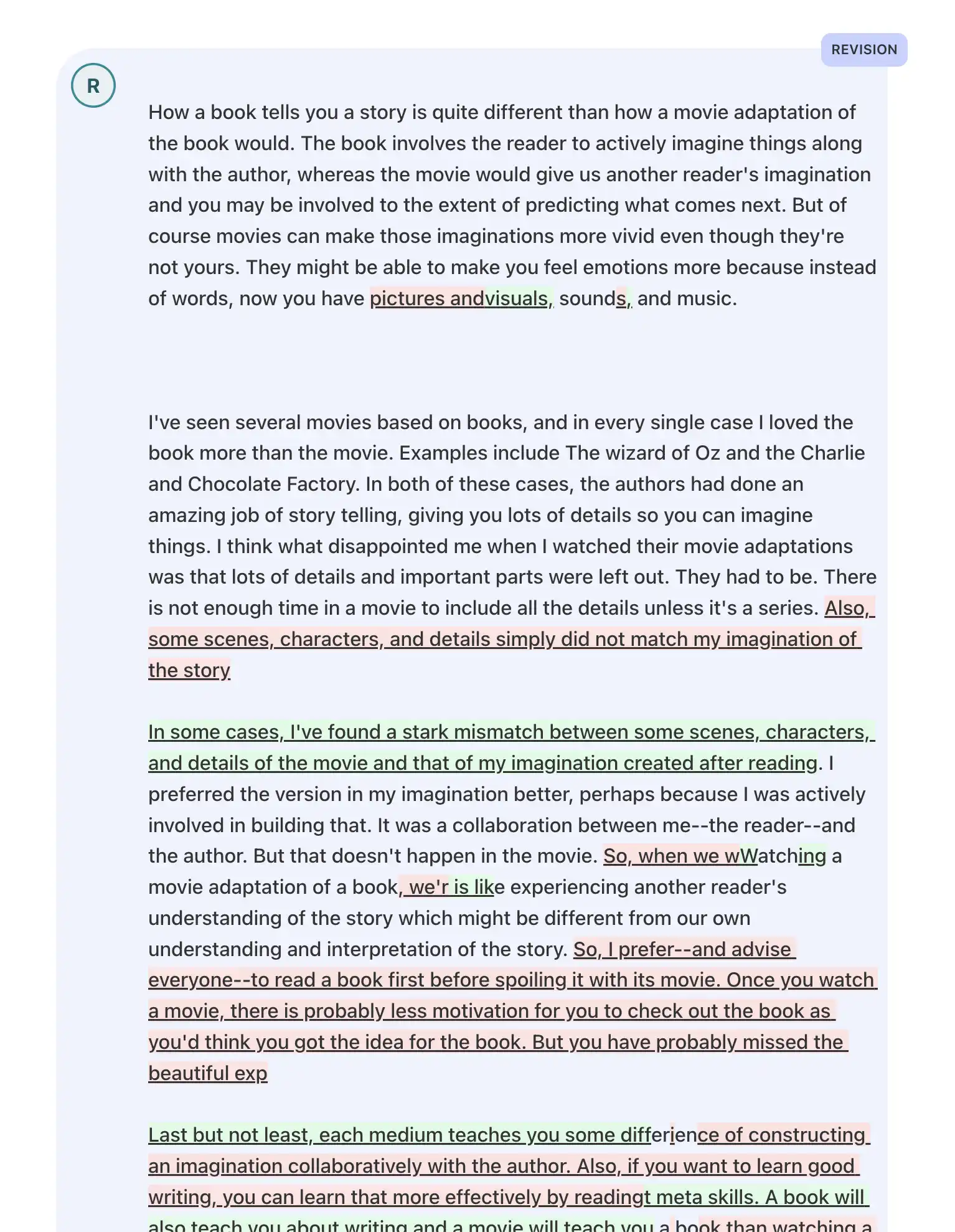
Teachers can view the final draft, trace the conversation and revision steps, and compare versions side by side with a diff view.
Common questions
The AI writing guide, answered.
Does the AI grade student writing?
No. The writing guide is for guidance, feedback, and reflection — not grading. Its job is to improve the thinking and the writing process, not to put a number on it.
Can students use it to cheat?
It is built to make that hard. The guide asks questions to draw out the student's own thinking and never generates text or hands over answers. Value the process and say so, and it becomes a tool for developing their ideas, not dodging them.
How does it handle different subjects?
It focuses on the universal principles of clear thinking and communication — substance, purpose, structure, clarity — which apply whether the assignment is a lab report or a historical analysis. Teachers can add custom instructions to tailor feedback to a specific assignment.
What about student data privacy?
JoySchooler follows strict data-privacy policies, and all interactions with the writing guide are handled securely within the platform. See our privacy policy for full details.
Get started
Help students write by thinking.
Also explore: learn to write · guide for parents · AI for teachers